Our end of May update includes a new recirculation options, new article blocks, a new integration, a new image aspect ratio option for post cards, and so much more. Check out the full update below and reach out to us via Freshdesk if you have any questions or feedback. You can also check out past Lede platform updates.
TABLE OF CONTENTS
- Featured Updates
- New Article River Options: Enhanced Content Recirculation
- Choose Your Content Strategy
- Select Your Layout
- New Article Blocks: Enhanced Visual Storytelling
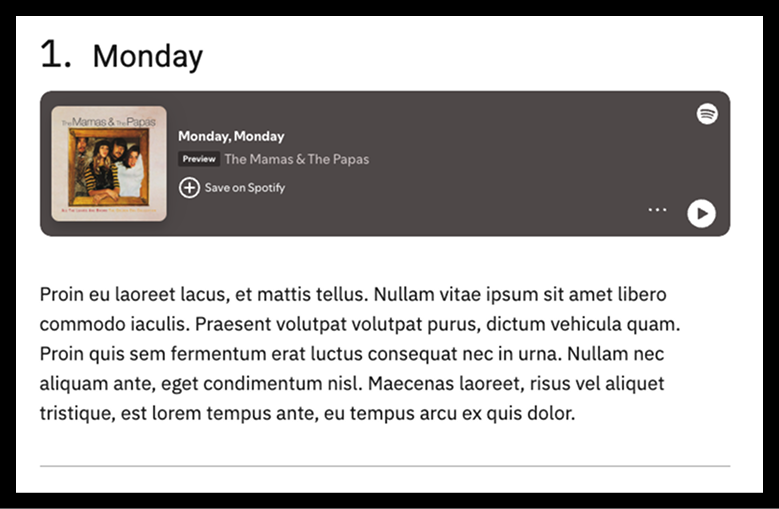
- Flex List Item Block
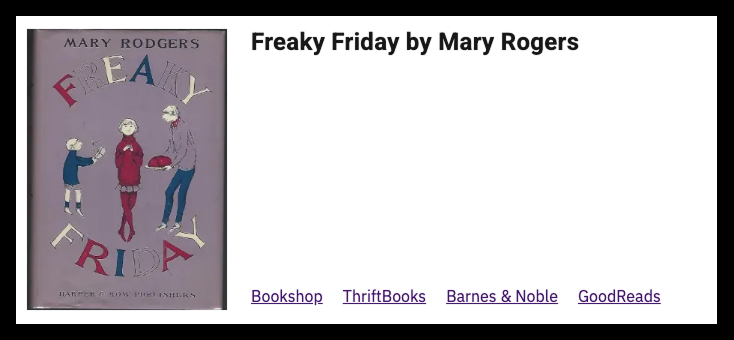
- Media Card Block
- Example: Flex List Item Block
- Example: Media Card block
- New Feature: Square Image Aspect Ratio for Post Cards
- Other Updates
Featured Updates
New Article River Options: Enhanced Content Recirculation
We’ve expanded your Article River capabilities with new content selection and layout options for the recirculation module at the bottom of single articles.
Choose Your Content Strategy
Category-Based Recirculation keeps readers engaged longer by serving content aligned with their demonstrated interests, leading to deeper exploration and higher conversion rates.
Recency-Based Recirculation (default) exposes readers to diverse content they might not otherwise discover while showcasing your site’s fresh, regularly updated content.
Note: If using category-based recirculation and the article’s primary category contains fewer than 3 articles or the article is uncategorized, recent articles will automatically display instead.
Select Your Layout
Choose between the traditional river layout (default) or a clean three-across grid format. For visual consistency, consider matching your Article River layout to the grid settings used elsewhere on your site.
These enhancements give you greater control over reader engagement and content discovery strategies. For detailed setup instructions, visit our Knowledge Base guide to Article River Settings.
New Article Blocks: Enhanced Visual Storytelling
We’re excited to introduce two versatile new blocks designed to add visual interest and functionality to your articles and pages.
Flex List Item Block
Create visually distinctive list items with prominent numbering or markers—perfect for rankings, collections, or featured content. This block excels when you need to include rich media (images, videos) or insert content like ads or CTAs between list items, making it an excellent alternative to standard list blocks.
Media Card Block
This compact, versatile component combines three key elements: a visual image, descriptive heading, and multiple action links. Use it to showcase books, albums, videos, products, team members, events, or any content that benefits from visual representation with multiple access points.
Both blocks come with comprehensive setup guides in FreshDesk, including customization options, pro tips, and practical examples to help you get started.
Flex List Item Guide | Media Card Guide
Example: Flex List Item Block
Example: Media Card block
New Feature: Square Image Aspect Ratio for Post Cards
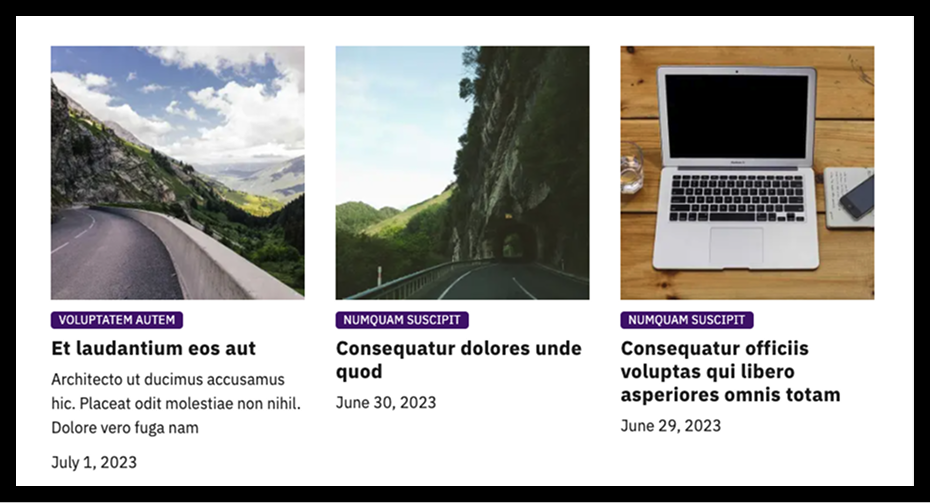
We’re excited to introduce customizable image aspect ratios for your post cards. You can now choose between the default aspect ratio or a clean square (1:1) format.
To enable square images, navigate to Lede > Archive Styles > Archive Post Card Image Aspect Ratio and select “square.” This setting will apply to post cards displayed on both archive pages and your homepage.
Please note that some homepage blocks, including the Featured Post block, are not yet affected by this change. We’re working to expand aspect ratio flexibility across all homepage blocks, with plans to offer block-by-block customization in future updates.
This enhancement gives you greater control over your site’s visual consistency and design aesthetic.
Other Updates
- Post River block enhancement: You can now hide subtitles on post cards in the Post River block through the block sidebar settings. Subtitles remain visible by default.
- Navigation improvement: The “All” page heading has been updated from “Posts” to “All Articles” for better clarity.
- Enhanced spacing: Additional padding has been added to the bottom of Pages for improved layout.
- Tag page styling: Tag page headings now use standard capitalization instead of all uppercase text.
- Bug fix: Resolved an issue where post card titles weren’t displaying properly in the vertical Featured Topics block when no primary category was assigned.