Our end of September update focuses on updates to the Publisher Dashboard, bringing your most important information front and center and making the interface more visually appealing. We also have updates to make it easier to customize and add polish to your site. Check out the full update below and reach out to us via Freshdesk if you have any questions or feedback. You can also check out past Lede platform updates.
TABLE OF CONTENTS
- Publisher Dashboard Improvements
- Customize Your Confirmation Messages
- Never Leave a Post Card Empty Again
- Image Aspect Ratio Options in Homepage Blocks
- Bug Fixes
Publisher Dashboard Improvements
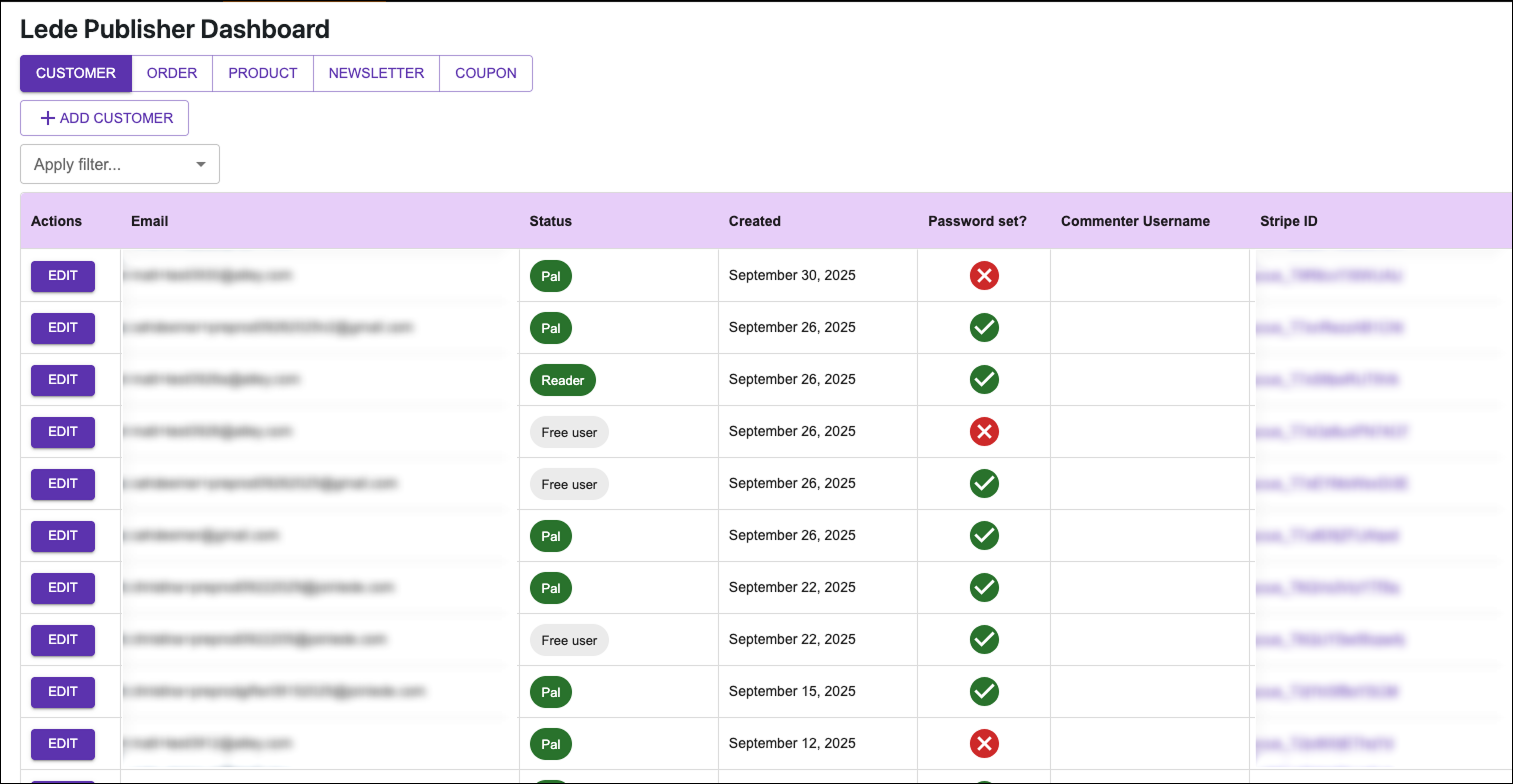
We’re excited to announce significant improvements to the Publisher Dashboard that will make managing your publication easier and more intuitive than ever.
First, we’ve redesigned the Customers tab to put your most important information front and center. Customer records now appear sorted from newest to oldest, so you can instantly see who’s just joined your community. We’ve also added a Status field that clearly distinguishes between free users and paid subscribers, giving you better visibility into your audience composition.
Next, managing orders just got simpler with our completely new Order layout. This comprehensive design makes it easy to review all your transactions at once – purchases, donations, comped subscriptions, and gift subscriptions all together in one place! Need to analyze your data in Excel or share it with your team? You can now export your orders as a CSV file with a single click.
Finally, we’ve given the entire dashboard a visual refresh with colorful status chips and intuitive icons throughout the interface. These small but meaningful touches make navigating the dashboard faster and more enjoyable.
Customize Your Confirmation Messages
Did you know you can personalize the messages subscribers see after purchasing a subscription or redeeming a gift subscription? Use this feature to reinforce your brand voice and guide new subscribers on what to expect next.
Learn how to customize confirmation messages →
Never Leave a Post Card Empty Again
Looking for a quick win to polish your site’s appearance? Try setting a default featured image! This handy feature ensures that every post card displays an image—even when you haven’t set a featured image for a specific post.
Setting it up takes just a minute in the Customizer, and choosing the right default image can reinforce your branding while saving you time.
Learn how to set up and choose the perfect default featured image →
Image Aspect Ratio Options in Homepage Blocks
The Featured Post, Featured Topic, and Featured Posts blocks have been updated to include image aspect ratio options (16:9, 3:2, and 1:1). Look for these options to be rolled out to other homepage blocks in the coming weeks.
Bug Fixes
- Optimized full-width Featured Images on extra large screens
- Addressed an issue with the messaging on ad wrappers for tiered ad-free subscriptions