Our end of April update includes the introduction of the Publisher Dashboard, a new block to add some style to reviews, a global footer layout option, some options for product pages, and more. Check out the full update below and reach out to us via Freshdesk if you have any questions or feedback. You can also check out past Lede platform updates.
Publisher Dashboard launch
On Tuesday, April 29, we released the Publisher Dashboard to all publishers. This important new tool gives you direct access to Lede’s customer data platform so you can view and manage information about your site. Using the dashboard, you can accomplish many tasks that currently require opening a support ticket, including editing customer information, granting complimentary subscriptions, and updating product descriptions.
For more information about the Publisher Dashboard, check out our Knowledge Base article.
New Feature: Review Card block
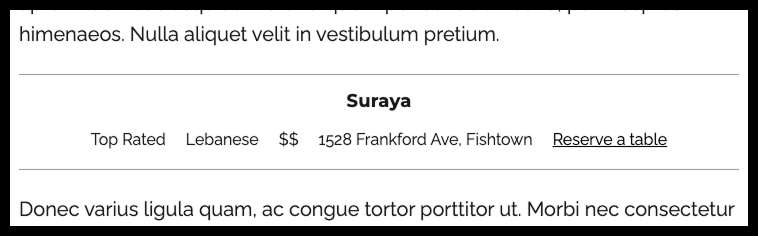
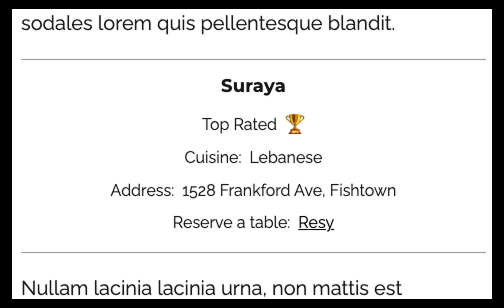
We’re excited to introduce our Review Card block—a custom Lede block that adds visual flair to all your reviews! This accessible feature works seamlessly on both posts and pages with a mobile-first design that keeps everything organized regardless of screen size. Distinguished by elegant top and bottom borders, the Review Card stands out beautifully from surrounding text.
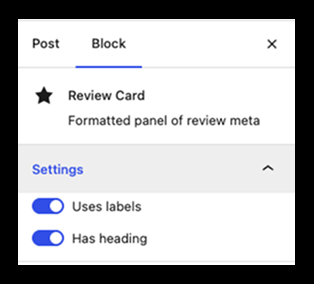
Customize your Review Card with two handy settings: add a heading for context and apply labels to organize information. Format your text with paragraph styling options including bold, italics, and even clickable links!
Perfect for restaurant critiques, book recommendations, album analyses, concert recaps, and more—the Review Card block helps your reviews shine.
Review Card example with a heading, no labels, and a link
Review Card example with heading and labels on a small-screen width
Review Card settings
New Option: Compact Global Footer layout
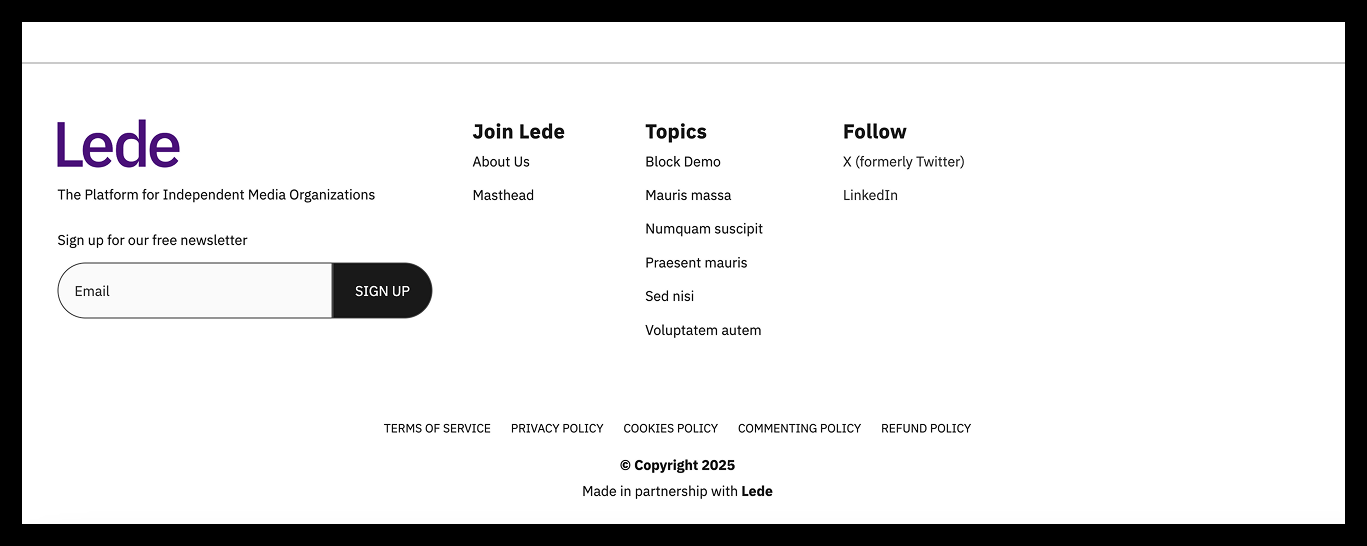
We’re thrilled to introduce a new alternative layout for your global footer as part of our ongoing efforts to make the platform more flexible! This compact design is ideal for publishers who include substantial content in the footer —particularly those using at least one footer menu (beyond the legal menu) along with social links.
The streamlined layout positions your footer menus adjacent to your logo, reducing the footer’s overall footprint. On mobile devices, all contact information stacks neatly, displaying only your primary footer menu while keeping other menus discreetly hidden. Rest assured, your footer legal menu and social links remain visible across all screen sizes.
Another design detail to this layout is that Social Links are displayed as text, following a current trend in web design.
⚠️ Keep in mind: If you don’t currently use footer menus, this new option might actually increase your footer’s height—in this case, staying with the default layout might serve you better.
Ready to try it? Simply navigate to Lede > Brand Appearance > Global Footer Styles > Footer Layout, select “compact layout,” and click Save Changes. Want to switch back? Just select “default” and save your changes again.
Example Compact Footer layout
Example Compact Footer on small screen
Product page updates
Continuing our theme of flexibility, we’re pleased to introduce two convenient new options for your product page:
Coupon Code Box Removal – You can now hide the Coupon Code box that appears above your product cards—perfect for publishers who don’t plan to offer promotions with coupon codes.
Annual-Only Subscription Products – You can now offer products exclusively with annual subscriptions (removing the monthly option). Please note that this setting applies to all your products.
Interested in implementing either of these features? Simply open a ticket in FreshDesk, and we’ll help you get set up!
WordPress 6.7 update
We successfully updated WordPress to version 6.7.2 on Monday, April 28. These regular updates are essential for keeping your sites secure and performing at their best, while also providing access to exciting new features and enhancements.
Looking for more details? We covered this update in a previous newsletter—you can find the complete announcement notes in our Knowledge Base.